6 min read · Machine vision
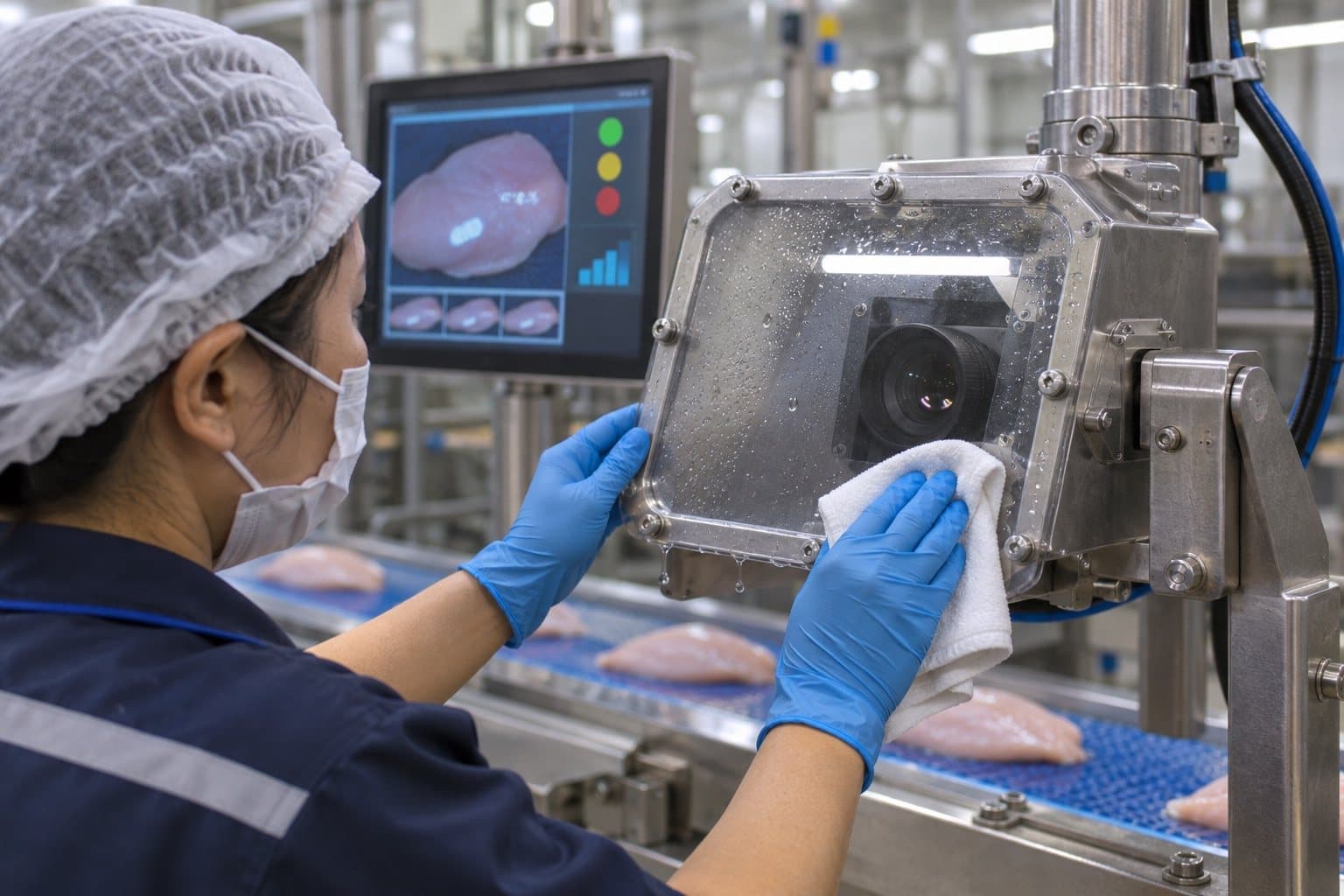
Food and beverage lines are usually washed regularly with water and cleaning chemicals, so cameras mounted above the conveyor get hit by water, steam and chemicals too. If production is restarted in a hurry after washing without checking the camera, the system may judge from a blurred or tilted image and nobody will know. This article offers a short checklist that can be done in a few minutes. The examples in this article are hypothetical.
Why washing affects cameras
- Water droplets or water marks on the lens make the image show bright spots or regional blur.
- Fog from temperature change, for example a hot line washed with cold water, lets moisture form on the inside or outside of the glass.
- The housing seal or gasket is worn or does not close fully, so water and chemicals can seep in over time.
- The camera or light mount is knocked or moved during washing, shifting the image angle slightly.
- The light cover has residue or a film from the cleaning chemical, which changes the light reaching the part.
- Chemical residue builds up into a thin film on the lens that is hard to see with the naked eye.
What does the IP rating tell you?
An IP (Ingress Protection) code has two digits. The first digit gives the level of protection against solids and dust, and the second gives the level of protection against water. A higher number means more protection under the test conditions of the standard. But the code does not say which cleaning chemicals the unit tolerates, at what water temperature, or for how long it can withstand high-pressure spray from close range. Read the camera and housing manufacturer’s documents carefully, and ask the supplier about the chemicals your plant actually uses.
Checklist after washing
- Wait for the outside surface to dry first, following the plant’s hygiene procedure. Do not wipe with cloths that are not designated for food areas.
- Look for droplets, marks and fog on the lens or the front glass of the camera, both outside and inside.
- Check the housing and cable: seals, gaskets and the point where the cable enters the housing. They should not be cracked or loose, and there should be no standing water or water marks inside.
- Check the camera and light positions against the reference marks that were made, or compare the current image with the stored reference image.
- Check that the light cover is clean and free of film.
- Open the live image and check by eye that brightness and sharpness look normal.
- Run several golden samples through the system and compare the results with what they should be.
- Record the results on the form and then start production. If anything is abnormal, stop and notify the technician or the responsible person first.
Details on making and storing the sample set are in the article on golden samples for checking the camera and AI.
Summary table: what to check, how, and who does it
| What to check | How to check | Who | When |
|---|---|---|---|
| Lens and front glass | Look for droplets, fog and marks, both outside and inside | Operator after washing | Every time after washing |
| Seals and cable entry | Look for cracks, looseness and water inside | Technician or system administrator | Every time after washing, with a detailed check on a schedule |
| Mount position | Compare with the reference marks or the reference image | Operator or technician | Every time after washing |
| Light cover | Check for film and cleanliness | Operator | Every time after washing |
| Result on the golden samples | Run the sample set, compare with the expected results and record | Operator and shift leader | Before every production start |
| Image brightness and sharpness | Have the system measure automatically and compare with the baseline | The system; the person in charge watches the alerts | Every image or at set intervals |
Let the system check the image itself
In addition to manual checks, the system can automatically measure the average brightness and sharpness of the image and alert when the value drops by more than a set threshold. For example, if the reference image has a brightness of 140 and after washing it measures 118, the drop is 22, or about 16 percent, which may be a sign of fog or film on the lens. The right threshold depends on each line’s product and lighting and has to be set by trial from real data.
Common mistakes
- Only checking that the live image appears, then starting production without running the golden samples.
- Wiping the lens with a cloth or chemical that is not designated, causing scratches or a new film.
- High-pressure washing aimed directly at the camera, when the housing is not designed to withstand that.
- No reference marks for the camera position, so there is no way to know whether the mount has moved.
- Opening the housing in a wet area to check inside, which lets water in.
- Knowing the image is blurred but letting it go because the system still returns pass or fail as normal.
Hypothetical example: a chicken fillet packing line
Suppose a line checks for bone fragments on the conveyor and is washed every night. One morning after washing, the operator sees small droplets at the corner of the camera’s front glass, wipes it by the specified method, and runs 6 golden samples. 5 give the correct result. One borderline part that the system normally judges correctly gives a different result today.
The operator does not start production and calls the technician. The technician finds a film of cleaning chemical on one side of the light cover, making the light uneven. After cleaning the cover and running the samples again, all 6 give the correct result, so production starts and the event is recorded. The technician adds a light-cover check to the routine checklist. Without the golden samples, this problem might not have been found at all during the shift.
Limits and cautions
This article gives general guidance, not any particular factory’s standard procedure. Washing procedures, chemicals and hygiene must follow what the plant’s quality and food safety teams specify. Check with the people responsible for those areas and with the equipment manufacturer before using it. The checklist does not prevent all water damage. If the image is only slightly blurred, the system may keep returning pass or fail without any alert, so you need both a visual check and automatic image measurement. The figures in the example, such as 140, 118 and 6 parts, are all hypothetical.
Starting references
- Wikipedia — IP Code
- Wikipedia — Machine vision
- Wikipedia — Calibration
- EHEDG — European Hygienic Engineering & Design Group