6 min read · ERP and CRM
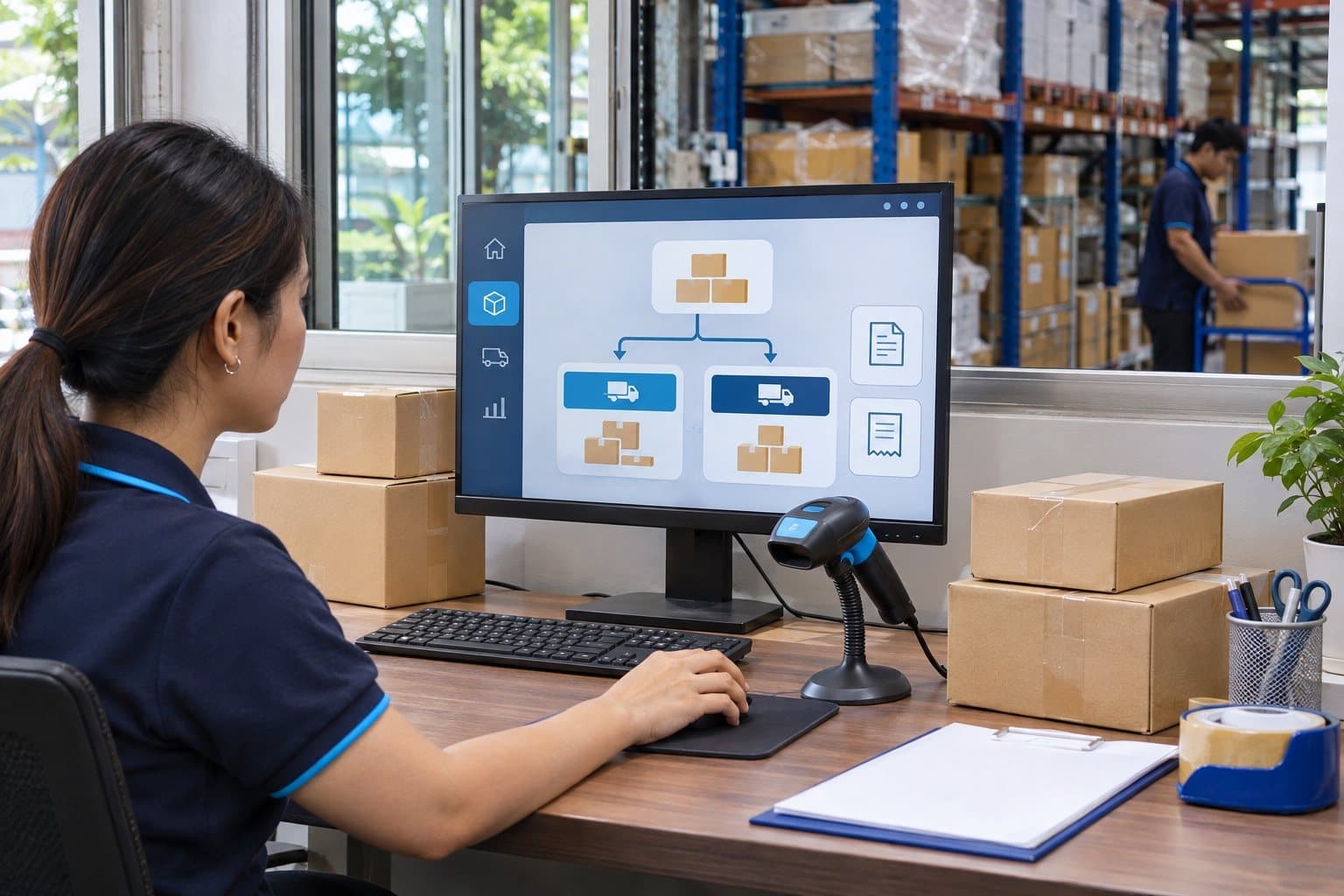
A customer orders 500 pieces on one sales order, but only part of the goods is ready to ship first. One sales order therefore has several deliveries. If the ERP does not link the documents clearly, sales will not know how much is still owed, and accounting will not know how much has already been billed.
The example in this article is hypothetical. Every number is there only to explain the method. This article is not tax advice.
Documents that must be linked
The normal path of sales documents is already covered in the article on the order of sales documents in ERP. Here we look only at the case where delivery is not complete in one round.
- Sales Order (SO): the quantity and price agreed with the customer.
- Delivery Order (DO): the quantity actually delivered in each round. Each one refers to the SO.
- Invoice: the amount billed. It refers to the DO or the SO.
- Backorder: the quantity ordered but not yet delivered, calculated as the ordered quantity minus the quantity already delivered.
The simple rule is that every document must point back to the SO, and you must be able to see at once how much was ordered, how much has been delivered, how much has been billed and how much is outstanding.
Bill every delivery, or wait and bill at the end
| Method | Suitable when | Caution |
|---|---|---|
| Issue an invoice with every delivery | The customer wants documents per round, or deliveries are far apart | More documents, and every one must be checked |
| Wait until delivery is complete and issue one invoice | Deliveries are close together and the customer wants one invoice | Goods already delivered have no billing document, so receivables may not show correctly |
| Split into instalments by agreement | The contract specifies payment instalments | The ERP must link the instalments to the deliveries clearly |
The method you choose should be consistent with your agreement with the customer and with your accountant's advice. The timing of issuing the tax invoice relates to tax, so it must be confirmed before you configure anything.
On tax, ask your accountant before configuring
The Revenue Department information on the reference page below states, in summary, that the value-added tax liability on a sale of goods usually arises when the goods are delivered, but it can also arise earlier when ownership is transferred, payment is received or a tax invoice is issued, and only for that portion. There are also separate rules for certain kinds of sale, such as hire purchase or sales through an agent.
The actual details depend on your company's case, so have your accountant or tax adviser confirm when a tax invoice must be issued for a partial shipment, and have IT configure the ERP accordingly. This article does not state any additional legal conditions.
Steps for handling a partial shipment
- Set a policy on which kinds of SO allow partial shipment, and whether the customer has agreed.
- When creating the delivery order, have the ERP pull the outstanding quantity from the SO, and do not allow delivering more than the quantity ordered without an approver.
- After the delivery order is confirmed, the SO's backorder falls automatically and the SO status changes to partially delivered.
- Issue the invoice by the agreed method, pulling the lines and quantities from the related delivery order.
- Review open SOs with backorders every week and contact the customer about the remaining delivery dates.
- When delivery is complete, or the customer agrees to cancel the remainder, close the SO with a reason.
Common mistakes
- Editing the sales order directly when delivery is short, instead of leaving it as a backorder, so the history of what was originally ordered is lost.
- Issuing the invoice from the quantity on the SO and not from the quantity actually delivered.
- A delivery order that does not refer to the SO, so the backorder cannot be tracked.
- Nobody owns the follow-up of backorders, so outstanding goods go quiet until the customer chases.
- Closing an SO while there is still a backorder or while it has not been billed.
Hypothetical example: a sales order for 500 pieces
Suppose a customer orders 500 pieces of one item at 120 baht each, a total of 60,000 baht (before tax). The company delivers in two rounds and bills every round. All numbers are hypothetical.
| Document | Quantity (pieces) | Amount before tax (baht) | Backorder after the document (pieces) |
|---|---|---|---|
| SO | 500 | 60,000 | 500 |
| DO round 1 and invoice 1 | 200 | 24,000 | 300 |
| DO round 2 and invoice 2 | 180 | 21,600 | 120 |
| Total delivered and billed | 380 | 45,600 | 120 |
Check the arithmetic: 200 × 120 = 24,000 baht and 180 × 120 = 21,600 baht, a total of 45,600 baht. The amount not yet billed is 120 × 120 = 14,400 baht, and 45,600 + 14,400 = 60,000 baht, which matches the SO. 380 of 500 pieces have been delivered, which is 76%.
The SO status is therefore partially delivered. The owner keeps following up the 120-piece backorder until delivery is complete or the customer agrees to cancel the remainder.
Limitations and cautions
- All numbers in the example are hypothetical, and the example does not show a tax calculation.
- This article is not tax or legal advice. Confirm the timing of the tax invoice with your accountant or tax adviser.
- Each ERP has different status names and configuration methods, so check against the system you actually use.
- Customer contracts with special terms, such as deposits or staged delivery, need additional rules for linking documents.
- Linking documents helps with after-the-fact checking, but it does not replace physically counting goods on site.
Starting references
- Revenue Department — Value-added tax information page (rd.go.th/5205)
- Wikipedia — Stockout (including backorder)
- Wikipedia — Sales order