6 min read · Smart factory
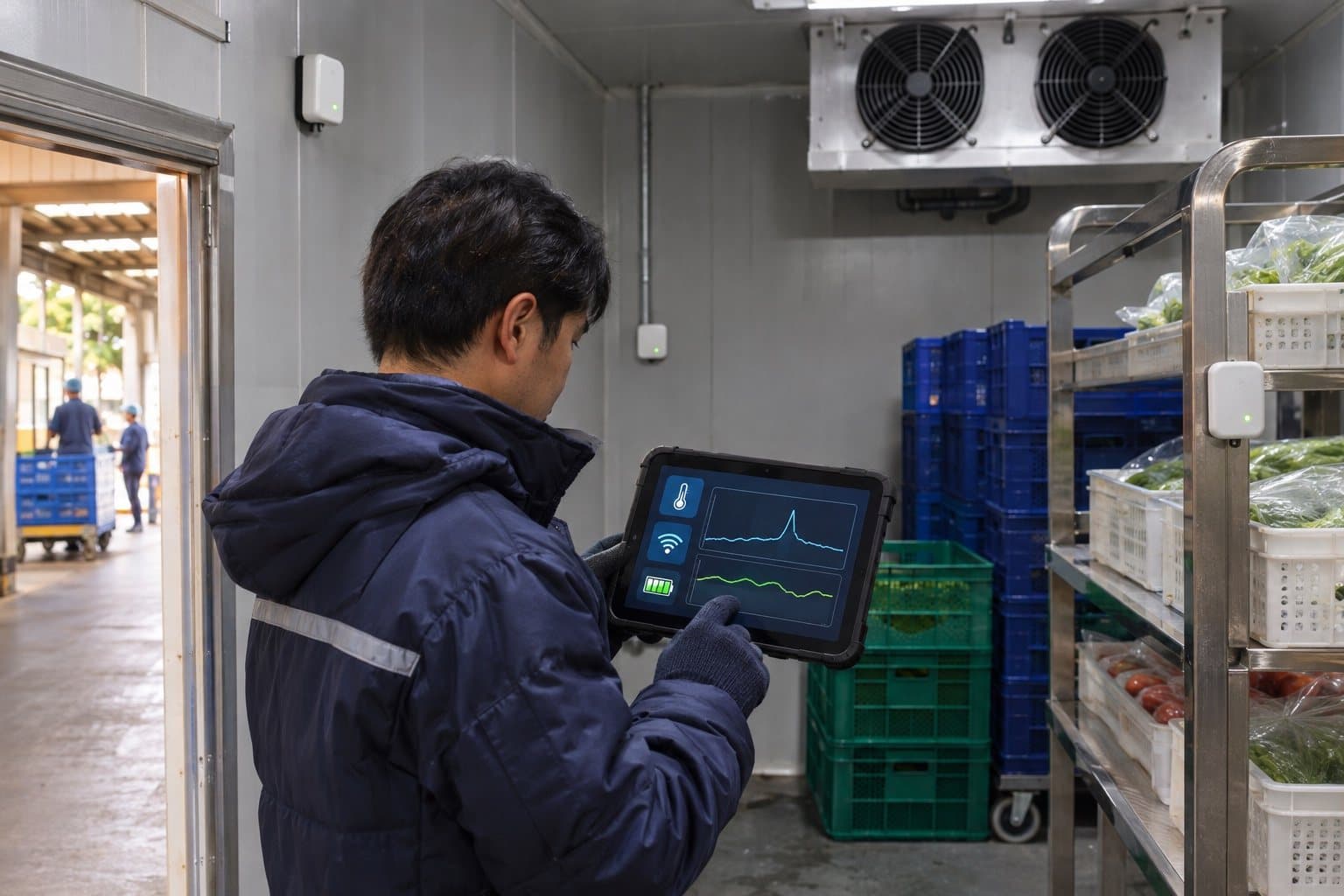
A cold room is not equally cold everywhere. Near the evaporator the air is fast and very cold; near the door it warms up every time the door opens; the top and bottom shelves differ too. If there is only one sensor, mounted on the wall beside the control cabinet, the number you see may not be the temperature of the warmest product at all.
Temperature mapping means placing several data loggers around the room for a period to find the hottest and coldest spots, then choosing a permanent sensor position that matches reality. The example here is hypothetical.
Where to put the loggers
A simple rule is to cover all three levels (top, middle, bottom) and three zones (near the door, mid-room, far from the door), about 9 points in total, then add special points as the site requires.
- Near the evaporator or the air outlet, to see whether it is cold enough that products risk freezing.
- Near the door, both high and low, because warm air enters there.
- Corners the airflow does not reach, and behind tall stacks of goods.
- Inside the actual stock, not just in the air, because product cools more slowly than air.
- Next to the room's existing sensor, to see how much it differs from the other points.
Before use, check every logger against a known reference thermometer, for example in an ice-water bath, and see that all of them read close together. A logger that reads off must be corrected or replaced; otherwise you cannot tell whether a difference comes from the room or from the instrument.
Empty room and loaded room
Survey in two conditions. When the room is empty you see the airflow and the capability of the refrigeration system on its own. When it is loaded as usual you see the real picture, with airflow blocked and goods or boxes stacked solid. The two results are often different, so surveying only the empty room is not enough.
How long to collect data depends on the room and the product. It must be long enough to cover several defrost cycles of the evaporator and normal activity, such as trolleys moving in and out in the morning. Many sites collect at least one to two full days, but agree the duration with your auditor or buyer.
Door-opening test
The door is a real event every day. Try leaving the door open for a realistic time, for example 3 minutes while loading, and watch two things: how much the hottest point rises, and how long it takes to return to the required range. This result is used to set the alarm delay so it does not alarm every time someone loads goods, and to decide whether a plastic strip curtain is needed.
Choosing the permanent sensor position
- Review the data from every point and find the hottest and coldest points during the survey.
- Mount the main permanent sensor at the hottest point that is an actual product position, because that is where the temperature will leave the range first.
- If the budget allows, mount a second one at the coldest point or near the air outlet, to catch freezing.
- Note how much the permanent point reads differently from the hottest and coldest points, so you can compensate when setting alarm thresholds.
- Repeat the mapping when the stacking method changes, the compressor is replaced, or the door is moved.
| Check | How to do it | Who does it | How often |
|---|---|---|---|
| Check loggers before use | Compare with the reference thermometer at the ice point | Quality or instrument technician | Before every survey |
| Empty-room survey | Place at all points, collect for the agreed time | Quality | When the room is built or the system changes |
| Loaded-room survey | Same positions, with real product stacked the normal way | Quality | Every year or when the stacking method changes |
| Door-opening test | Leave open for the realistic time; record peak temperature and recovery time | Quality and warehouse | Together with the survey |
| Check the permanent sensor | Compare with the reference thermometer | Technician or quality | At the interval you have set |
Common mistakes
- Mounting the permanent sensor at a spot that happens to be just right because it is near the air outlet: the reading looks good but products elsewhere are warmer.
- Mounting it on the wall near the door without knowing it swings too much with door opening, so it alarms so often that people stop paying attention.
- Surveying only when the room is empty, then applying the result to a full room.
- Not checking the loggers, then believing the room has a difference that is really instrument error.
Hypothetical example: a vegetable cold room
Suppose a vegetable cold room has a target of 4 °C and the company sets an acceptable range of 2 to 8 °C (these figures are hypothetical; the real range must come from the product and the auditor). Nine loggers were placed for two days with stock in the room. The coldest point was the top shelf under the evaporator, with a minimum of 1.8 °C, below 2. The hottest point was the bottom shelf near the door, with a maximum of 7.6 °C. The difference between the two points was 5.8 °C.
In the 3-minute door-opening test, the point near the door rose from 5.2 °C to 9.1 °C, an increase of 3.9 °C, and took 22 minutes to return below 8 °C.
The room's existing sensor was mounted on the wall beside the control cabinet and read about 4 °C throughout, so it saw neither event. Once this was known, the team moved the main sensor to the bottom shelf near the door, added a second one under the evaporator, and set the door alarm delay longer than normal loading time.
Limitations and cautions
All numbers in the example, including 4 °C, the 2–8 °C range, 1.8 °C, 7.6 °C, 9.1 °C, 5.2 °C and the times of 3 and 22 minutes, are hypothetical. Your own room will differ. A survey result is valid only for that room and the stacking method used during the survey.
Requirements for temperature range, survey duration and instrument calibration depend on the type of product and on your auditor. Check with the relevant authority or buyer. A monitoring system does not replace fixing problems at the room itself, such as stacking, airflow and door seals.
Starting references
- Wikipedia — Cold chain
- Wikipedia — Data logger
- Wikipedia — Cold storage