24 分钟阅读 · 自动化
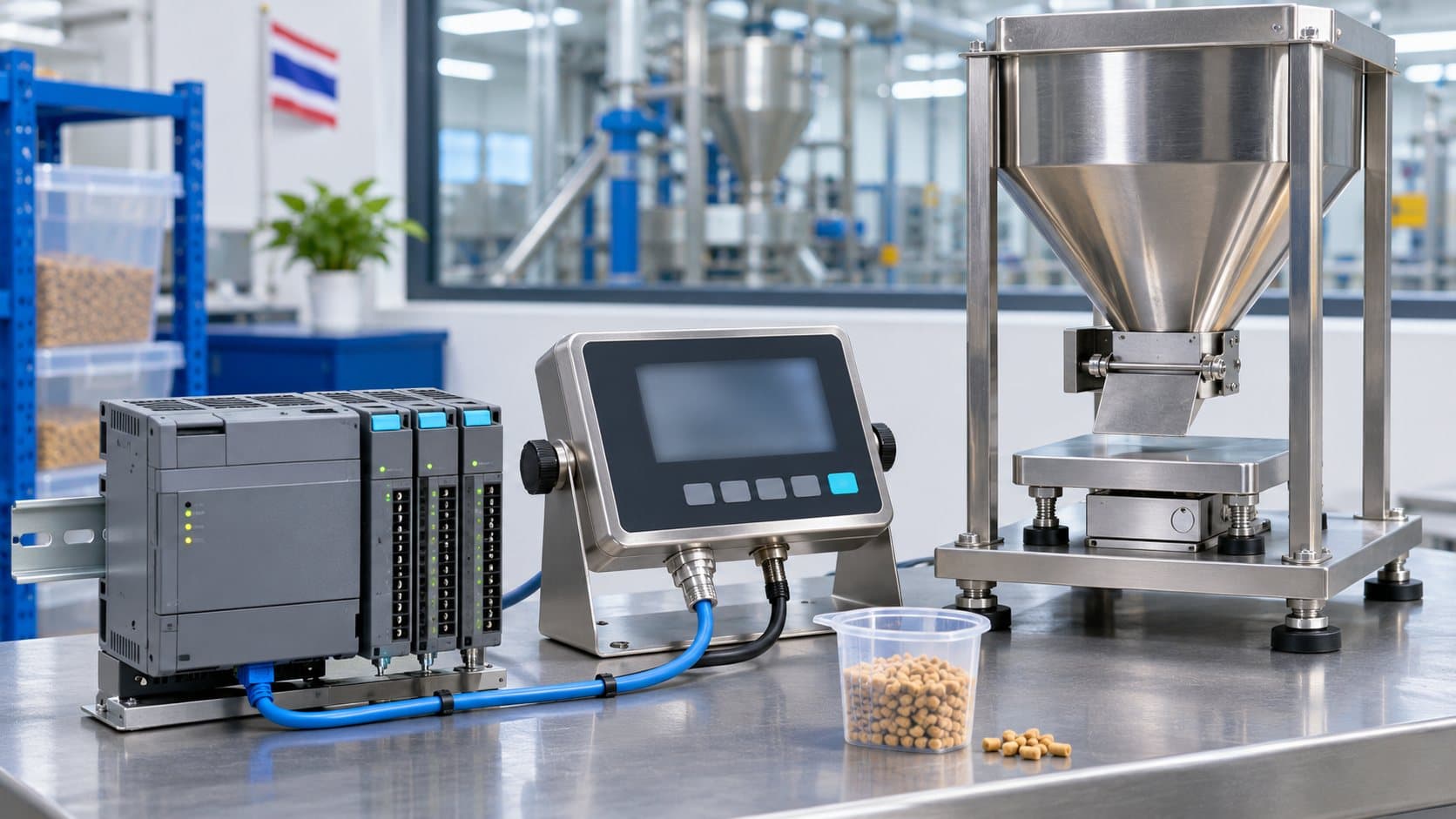
工厂里的 PLC 读到一个重量,称重仪屏幕上显示的却是另一个值;或者因为两个寄存器的顺序读反了,重量变成了几百万这样的怪数字;又或者数值半小时一直停在同一个数上,却没人知道称重仪已经掉出了网络。这些问题并不出在某个品牌的 PLC 上,而是出在称重仪与读取数据的系统之间的衔接处。
本文带你用 node:net 自己编写 Modbus TCP 客户端,让你看清每一个发送和接收的字节,然后在我们自己的机器上(仅限 localhost)用模拟称重仪来测试。文中有可运行的代码、真实输出结果和测试集。至于 DVP-SE 或 AS 有多适合称重工作,文末列出了需要对照 Delta 文档核实的事项,因为作者尚未打开能确认这一点的手册。
真实的问题:不该轻信的重量数字
以下是三个假设情景,并非 BT San 任何客户的项目。
- 干料混合工厂:系统在袋子还在往料斗里倒的时候就读取重量,数值仍在摆动。系统根据尚未稳定的数值决定关闭阀门,结果重量超出规格。
- 工厂门口的收货称重点:称重仪的网线脱落,系统却像没事一样继续显示最后一次的重量。员工用旧数值登记了收货单。
- 装袋生产线:请求超时后,安装人员重复发送了 tare 命令,而第一条命令其实早已成功。零点因此偏到了错误的位置。
根本原因是把读取重量当成了“读一个数字”而已。实际上至少有五件事:这个数字是怎样从寄存器转换而来的(word 顺序、小数位)、是否已经稳定、是新数据还是旧数据、写入命令是否成功,以及通信失败时怎么办。
文档中关于 Modbus TCP 的规定,以及尚未确认的部分
| 主题 | 文档怎么说 | 对代码的影响 |
|---|---|---|
| MBAP header | Messaging Implementation Guide 规定 header 长 7 字节:transaction identifier、protocol identifier(0 = Modbus)、length 和 unit identifier | 每次发送时我们自己组装 header |
| Length | length 字段是它后面所有字段的字节数,包括 unit identifier 和数据 | length = PDU 长度 + 1 |
| Transaction id | 服务器必须把请求中的 transaction id 复制到响应中 | 用来把应答与请求配对,并丢弃没有人在等待的应答 |
| 端口 | ADU 通过 TCP 发送到已注册的端口,即 502 | 示例在 localhost 上使用随机端口,以免与真实设备冲突 |
| 数据大小 | Application Protocol Specification V1.1b3 规定每次请求可读取 1 到 125 个寄存器,FC16 可写入 1 到 123 个 | 两端都要检查 qty |
| Exception | 错误响应使用原来的 function code 加 0x80,后面跟 exception code(01 到 04 为基本代码) | 检查响应中 function code 的最高位 |
| Byte order | Modbus 的地址和数据使用 big-endian | 单个寄存器内部无需担心,但拆分在两个寄存器中的 32 位数值没有规定,必须查看设备手册 |
本文未能确认的事项:Delta DVP-SE 和 AS 的 D 寄存器如何映射为 Modbus 地址。我们打开的 Delta PLC portfolio 页面中没有这张表,也没有提到 Modbus TCP。因此示例使用的是完全自行设计的寄存器映射表。在用于真实 PLC 之前,必须打开所用型号和固件对应的 Delta 手册,查看该型号是否支持以 server 身份提供 Modbus TCP、是否需要额外的通信模块,以及哪个 D 寄存器对应哪个地址。
示例概览
代码位于 examples/delta-dvp-se-as-weighing-modbus-tcp/ 文件夹中,只使用 Node 24 的内置功能,无需 npm install,也不联网。两个程序通过 127.0.0.1 上真实的 socket 相互通信。
| 文件 | 作用 |
|---|---|
| scale.ts | 假想称重仪的寄存器映射表,两个寄存器的 int32 转换,以及状态位的读取 |
| client.ts | Modbus TCP 客户端:MBAP、FC03/06/16、exception、transaction id、timeout、reconnect |
| mock-scale.ts | 像称重仪一样应答的模拟服务器,包含 tare 命令和 exception |
| demo.ts | 执行 8 个场景并打印结果的脚本 |
| modbus.test.ts | node:test 测试集 |
假想的寄存器映射表(holding register):0-1 为净重 int32,high word 在前;2 为小数位数(值为 2 表示单位是 0.01 kg);3 为状态位(位 0 = 稳定,位 1 = 超载,位 2 = 已 tare);4 为命令(写入 1 = tare);5 为重量采样计数器;6-7 为 setpoint,类型与重量相同
export function encodeInt32(value: number, order: WordOrder = WORD_ORDER): [number, number] {
  const u = value >>> 0; // two's complement
  const hi = (u >>> 16) & 0xffff;
  const lo = u & 0xffff;
  return order === "high-first" ? [hi, lo] : [lo, hi];
}

export function decodeInt32(a: number, b: number, order: WordOrder = WORD_ORDER): number {
  const [hi, lo] = order === "high-first" ? [a, b] : [b, a];
  return ((hi << 16) | lo) | 0; // | 0 turns it back into a signed int32
}

export type Reading = { kg: number; stable: boolean; overload: boolean; tared: boolean; counter: number };

// regs = the 6 registers 0..5 read in one FC03 request
export function parseReading(regs: number[], order: WordOrder = WORD_ORDER): Reading {
  const raw = decodeInt32(regs[REG.WEIGHT], regs[REG.WEIGHT + 1], order);
  const status = regs[REG.STATUS];
  return {
    kg: raw / 10 ** regs[REG.DECIMALS],
    stable: (status & STATUS.STABLE) !== 0,
    overload: (status & STATUS.OVERLOAD) !== 0,
    tared: (status & STATUS.TARED) !== 0,
    counter: regs[REG.COUNTER],
  };
}word 顺序是最常见的出错点。有的设备先发送 high word,有的先发送 low word。按错误的顺序解码不会产生任何 error,而是悄无声息地得出一个错误的数字。因此测试集同时检查两种顺序,也检查负值(tare 之后的净重可能为负)。如果数值是由你那边的 PLC 保存的,请对照手册确认 32 位数值是如何排列的,并且始终先用一个已知的真实重量测试一次。
第 1 步:组装 MBAP 帧并用 transaction id 配对
  private send(pdu: Buffer): Promise<Buffer> {
    const s = this.socket;
    if (!s || s.destroyed) return Promise.reject(new Error("not connected"));
    this.tid = (this.tid + 1) & 0xffff;
    const tid = this.tid;
    const head = Buffer.alloc(7);
    head.writeUInt16BE(tid, 0);
    head.writeUInt16BE(0, 2); // protocol id 0 = Modbus
    head.writeUInt16BE(pdu.length + 1, 4); // unit id + PDU
    head[6] = this.unit;
    return new Promise((resolve, reject) => {
      const timer = setTimeout(() => {
        this.pending.delete(tid);
        reject(new ModbusTimeout(`no response to transaction ${tid} in ${this.timeoutMs} ms`));
      }, this.timeoutMs);
      this.pending.set(tid, { fc: pdu[0], resolve, reject, timer });
      s.write(Buffer.concat([head, pdu]));
    });
}每个请求都会得到一个新的 transaction id(到 65535 后循环),并存入 pending 表。应答返回时,我们根据这个 id 找到对应的请求,而不是按到达的顺序。这样,超时之后才迟到的应答就能被区分出来,不会与后面的请求混在一起。
  // TCP is a byte stream: one data event can hold half a frame or two frames.
  private onData(d: Buffer) {
    this.buf = Buffer.concat([this.buf, d]);
    while (this.buf.length >= 7) {
      const len = this.buf.readUInt16BE(4); // bytes after this field: unit id + PDU
      if (this.buf.readUInt16BE(2) !== 0 || len < 2 || len > 254) {
        this.socket?.destroy(); // not Modbus: drop the connection
        return;
      }
      if (this.buf.length < 6 + len) return; // wait for the rest
      const tid = this.buf.readUInt16BE(0);
      const pdu = this.buf.subarray(7, 6 + len);
      this.buf = this.buf.subarray(6 + len);
      const p = this.pending.get(tid);
      if (!p) {
        this.lateFrames++; // answer to a request that already timed out
        continue;
      }
      clearTimeout(p.timer);
      this.pending.delete(tid);
      if (pdu[0] === (p.fc | 0x80)) p.reject(new ModbusException(p.fc, pdu[1]));
      else if (pdu[0] !== p.fc) p.reject(new Error("unexpected function code in response"));
      else p.resolve(pdu);
    }
}- TCP 是字节流,不是一条条消息。一个 data event 可能只带来半个帧,也可能一次带来两个紧挨着的帧。所以必须先累积字节,再按 length 字段切分。
- protocol id 不为 0,或 length 异常,说明这不是 Modbus。示例会断开连接。
- function code 等于请求的 function code 加 0x80 的响应是 exception,返回带有 code 的 ModbusException。
- 没有请求在等待的帧(在 timeout 之后才迟到)会被计数后丢弃。
第 2 步:用 FC03 读取,用 FC06 和 FC16 写入
  async readHolding(addr: number, qty: number): Promise<number[]> {
    const pdu = Buffer.alloc(5);
    pdu[0] = 0x03;
    pdu.writeUInt16BE(addr, 1);
    pdu.writeUInt16BE(qty, 3);
    const r = await this.request(pdu, true);
    if (r[1] !== qty * 2) throw new Error("byte count does not match quantity");
    return Array.from({ length: qty }, (_, i) => r.readUInt16BE(2 + i * 2));
  }

  async writeSingle(addr: number, value: number): Promise<void> {
    const pdu = Buffer.alloc(5);
    pdu[0] = 0x06;
    pdu.writeUInt16BE(addr, 1);
    pdu.writeUInt16BE(value, 3);
    await this.request(pdu, false);
  }

  async writeMultiple(addr: number, values: number[]): Promise<void> {
    const pdu = Buffer.alloc(6 + values.length * 2);
    pdu[0] = 0x10;
    pdu.writeUInt16BE(addr, 1);
    pdu.writeUInt16BE(values.length, 3);
    pdu[5] = values.length * 2;
    values.forEach((v, i) => pdu.writeUInt16BE(v, 6 + i * 2));
    await this.request(pdu, false);
}FC03 发送起始地址和寄存器数量。FC06 写入一个寄存器。FC16 写入多个寄存器,并附带字节数。像 setpoint 这样的 32 位数值,必须用 FC16 在一个请求中写入两个寄存器。如果用 FC06 逐个寄存器写入,设备可能在两个请求之间看到一半新、一半旧的数值。示例的模拟端特意只允许在命令寄存器上使用 FC06,以演示这种情况。
第 3 步:模拟服务器和 exception 代码
  // returns the response PDU; [fc|0x80, code] for an exception
  const handle = (pdu: Buffer): Buffer => {
    const fc = pdu[0];
    const ex = (code: number) => Buffer.from([fc | 0x80, code]);
    if (fc === 0x03 && pdu.length === 5) {
      const addr = pdu.readUInt16BE(1), qty = pdu.readUInt16BE(3);
      if (qty < 1 || qty > 125) return ex(3);
      if (addr + qty > REG.SIZE) return ex(2);
      const r = regs().slice(addr, addr + qty);
      const out = Buffer.alloc(2 + qty * 2);
      out[0] = fc;
      out[1] = qty * 2;
      r.forEach((v, i) => out.writeUInt16BE(v, 2 + i * 2));
      return out;
    }
    if (fc === 0x06 && pdu.length === 5) {
      const addr = pdu.readUInt16BE(1), value = pdu.readUInt16BE(3);
      if (addr !== REG.COMMAND) return ex(2); // only the command register accepts FC06 here
      if (value > 1) return ex(3);
      if (value === 1) state.tare = state.gross; // tare: net weight becomes 0
      return Buffer.from(pdu);
    }
    if (fc === 0x10 && pdu.length >= 6) {
      const addr = pdu.readUInt16BE(1), qty = pdu.readUInt16BE(3);
      if (qty < 1 || qty > 123 || pdu[5] !== qty * 2 || pdu.length !== 6 + qty * 2) return ex(3);
      if (addr !== REG.SETPOINT || qty !== 2) return ex(2); // only the 2-register setpoint is writable
      state.setpoint = decodeInt32(pdu.readUInt16BE(6), pdu.readUInt16BE(8));
      return pdu.subarray(0, 5);
    }
    return ex(1); // illegal function
};| 代码 | 基本规范中的含义 | 引发它的示例 |
|---|---|---|
| 01 | 不支持该 function code | 发送设备不具备的 function |
| 02 | 地址无效 | 读取地址 100,或用 FC06 写入重量寄存器 |
| 03 | 数据值无效 | 向命令寄存器写入值 7,或读取超过 125 个寄存器 |
exception 不是网络故障,而是设备回复说不会照此执行。用同样的命令重试没有用,必须修正地址或数值。因此示例在收到 exception 时不会 retry。
第 4 步:timeout 和 reconnect,不盲目重复写入
  // simplified: one reconnect attempt. Production: backoff, jitter, a health state for the UI.
  // Only idempotent requests (reads) are retried; a write may already have been executed.
  private async request(pdu: Buffer, retry: boolean): Promise<Buffer> {
    try {
      if (!this.socket) throw new Error("not connected");
      return await this.send(pdu);
    } catch (e) {
      const lost = e instanceof Error && !(e instanceof ModbusException) && !(e instanceof ModbusTimeout);
      if (!lost || !retry) throw e;
      await this.connect();
      this.reconnects++;
      return this.send(pdu);
    }
}- timeout 意味着结果未知,而不是失败。超时的 tare 命令可能已经成功。因此自动重发有风险。示例只对可以重复执行而没有副作用的读取进行 retry。
- 写入超时之后,先把状态读回来检查,再做决定,例如查看 tared 位和净重。
- 连接断开时,等待中的请求会立即被拒绝,下一次读取再重连一次。真实系统应具备 backoff,并在屏幕上显示连接状态。
真实运行:八个场景
demo.ts 在 127.0.0.1 的随机端口上启动模拟称重仪,然后用真实的客户端通过 socket 与它通信,timeout 设为 150 ms。这两个部分的最后一项,分别是对稳定值与卡死值的处理,以及对 exception 与 timeout 的处理。
console.log("2) unstable value: do not use it");
mock.sample(1500, false);
const u = await read();
console.log("  ", show(u), u.stable ? "" : "-> ignored, waiting for stable");

console.log("3) stale value: the counter stops moving");
mock.sample(1500);
const before = await read();
mock.state.frozen = true;
const after = await read();
console.log("  ", `counter ${before.counter} -> ${after.counter}`, after.counter === before.counter ? "-> stale, raise an alarm" : "");
mock.state.frozen = false;console.log("6) exception responses");
for (const [name, fn] of [
["read address 100", () => c.readHolding(100, 1)],
["write 7 to command register", () => c.writeSingle(REG.COMMAND, 7)],
["write to read-only weight register", () => c.writeSingle(REG.WEIGHT, 1)],
] as const) {
try {
await fn();
} catch (e) {
if (e instanceof ModbusException) console.log(" ", `${name}: exception code ${e.code}`);
else throw e;
}
}console.log("7) timeout, then a late reply with an old transaction id");
mock.state.delayMs = 300;
try {
await c.readHolding(REG.WEIGHT, 2);
} catch (e) {
console.log(" ", e instanceof ModbusTimeout ? "timeout" : String(e));
}
mock.state.delayMs = 0;
console.log(" ", "next read still gets its own answer:", show(await read()));
await new Promise((r) => setTimeout(r, 400));
console.log(" ", "late frame arrived and was dropped:", c.lateFrames === 1);
console.log("8) connection dropped, client reconnects on the next read");
mock.dropClients();
await new Promise((r) => setTimeout(r, 50));
console.log(" ", show(await read()), `reconnects=${c.reconnects}`);1) read weight (FC03, registers 0..5)
12.34 kg stable=true tared=false counter=1
2) unstable value: do not use it
15.00 kg stable=false tared=false counter=2 -> ignored, waiting for stable
3) stale value: the counter stops moving
counter 3 -> 3 -> stale, raise an alarm
4) tare (FC06, register 4 = 1)
0.00 kg stable=true tared=true counter=3
5) write setpoint 5.00 kg (FC16, registers 6..7) and read it back
registers 0,500 -> 5 kg
6) exception responses
read address 100: exception code 2
write 7 to command register: exception code 3
write to read-only weight register: exception code 2
7) timeout, then a late reply with an old transaction id
timeout
next read still gets its own answer: 0.00 kg stable=true tared=true counter=3
late frame arrived and was dropped: true
8) connection dropped, client reconnects on the next read
0.00 kg stable=true tared=true counter=3 reconnects=1- 用 FC03 在一个请求中读取六个寄存器,得到 12.34 kg 且稳定。在同一个请求中读取状态和重量,使这两个值来自同一时刻。
- 数值为 15.00 kg,但稳定位为 0。代码不会用这个值做决定,而是等到稳定为止。
- 两次读取时样本计数器都停在 3,说明称重仪没有发送新的样本,所以数值是旧的。必须发出警报,而不是相信原来的值。
- 用 FC06 发送 tare。净重变为 0.00,tared 位为真。
- 用 FC16 写入 setpoint 5.00 kg。读回得到寄存器 0 和 500,解码后还原为 5 kg。
- 三种 exception 返回的代码依次为 2、3、2,与模拟服务器的设定一致。
- 应答慢于 timeout。客户端报告 timeout,下一次读取得到它自己的应答。之后迟到的帧到达,因为没有 transaction id 在等待而被丢弃。
- 在服务器端断开连接。下一次读取自行重新连接。reconnects=1
测试集
modbus.test.ts 有 3 个用例,用 node --test modbus.test.ts 运行可得到 3 个 pass。第一个用例测试两种 word 顺序下的 int32 转换、负值和 scale。第二个用例通过真实的 socket 测试读取、tare、写入 setpoint 和 exception。第三个用例测试 timeout、被丢弃的迟到帧和 reconnect。这些测试不验证真实的响应时间,只检查事件是否按预期的顺序发生。
从示例走向真实的 PLC 和称重仪
- 先确认谁是 Modbus TCP server:称重仪、PLC 还是通信模块,以及该型号是否支持,以制造商的文档为准。不要因为有 Ethernet 端口就想当然。
- 向称重仪制造商索取寄存器表:数据类型、word 顺序、单位、小数倍数、状态位的含义,以及超载或传感器故障时的数值。
- 如果由 Delta PLC 居中转接,必须在该型号的手册中查看把 D 寄存器映射为 Modbus 地址的表。本示例没有提供这张表。
- 地址的计数方式要与文档一致。有的制造商写的地址从 1 开始,有的从 0 开始。请用一个已知的值测试。
- 尽可能把稳定判断留在称重仪中,并使用该设备的状态位,没有必要就不要自己再叠加一层滤波。
- 贸易或需认证的称重必须符合法律规定,并使用经过检定的设备。本示例与这一部分无关。
假设示例:用于三种工作
原料混合
配方通常有目标重量和可接受范围。系统应当投料到接近目标,再等待稳定位,然后读取用于决策的数值,并把实际重量与目标一并记录。用 FC16 在同一个请求中设置两个寄存器的 setpoint,可避免设备看到写了一半的数值。
收货称重
样本计数器和连接状态应始终显示在重量数字旁边。如果数值的陈旧时间超过设定值,屏幕必须变色或阻止记录,而不是继续显示最后一个数字。
装袋
tare 命令应当以称重仪空载且稳定为条件,发出命令之后必须读回 tared 位来确认。如果超时,先检查状态,再决定是否重发。
常见错误和检查清单
- 按错误的 word 顺序解码 32 位数值,或忘了小数位
- 不看稳定位就使用重量
- 称重仪掉线之后继续显示最后一个值,没有计数器或时间来检查数据是否新鲜
- 以为一个 data event 就是一个 Modbus 帧
- 不使用 transaction id 配对,导致迟到的应答落到错误的请求上
- 超时后自动重发写入命令
- 用 FC06 逐个寄存器写入 32 位数值
- 把从 0 开始的地址与从 1 开始的地址混用
- 认为有 TCP 端口就代表支持 Modbus TCP
- 根据手册确认设备是 Modbus TCP server,并取得与型号完全对应的寄存器表。
- 至少用一个标准重量测试重量转换,包括负值。
- 只使用稳定的值,并检查数据的新鲜度。
- 具备 timeout、reconnect,以及操作人员能看到的连接状态。
- 写入命令不自行 retry,并通过读回来检查结果。
- 把网络权限限制在应当与称重仪通信的机器上,因为 Modbus TCP 本身没有身份验证。
- 具备使用模拟服务器测试异常情况的测试集。
示例的注意事项:寄存器映射表是假想的,不属于 Delta 或任何型号的称重仪。仅支持 FC03、06、16,不支持单个连接上的多个 unit,没有实际测试过同时发送多个请求的 pipeline,reconnect 仅有一次,也没有用真实的 PLC 或称重仪测试。请把它当作学习模型,而不是可直接投产的代码。
参考资料
- Modbus Organization — Modbus Messaging on TCP/IP Implementation Guide V1.0b (MBAP header, port 502) (accessed 2026-11-21)
- Modbus Organization — Modbus Application Protocol Specification V1.1b3 (FC03, FC06, FC16, exceptions, big-endian) (accessed 2026-11-21)
- Modbus Organization — Modbus specifications page (accessed 2026-11-21)
- Delta — PLC portfolio (lists DVP-SE and AS series; no register mapping on the page) (accessed 2026-11-21)
- Node.js — net (TCP sockets) (accessed 2026-11-21)
- Node.js — Running TypeScript natively (type stripping) (accessed 2026-11-21)